A Better Way to Access Your Home Network
Securely connect to your devices from anywhere without exposing ports or relying on public services.
What You Get
Before diving in, here's a quick summary of what this stack gives you:
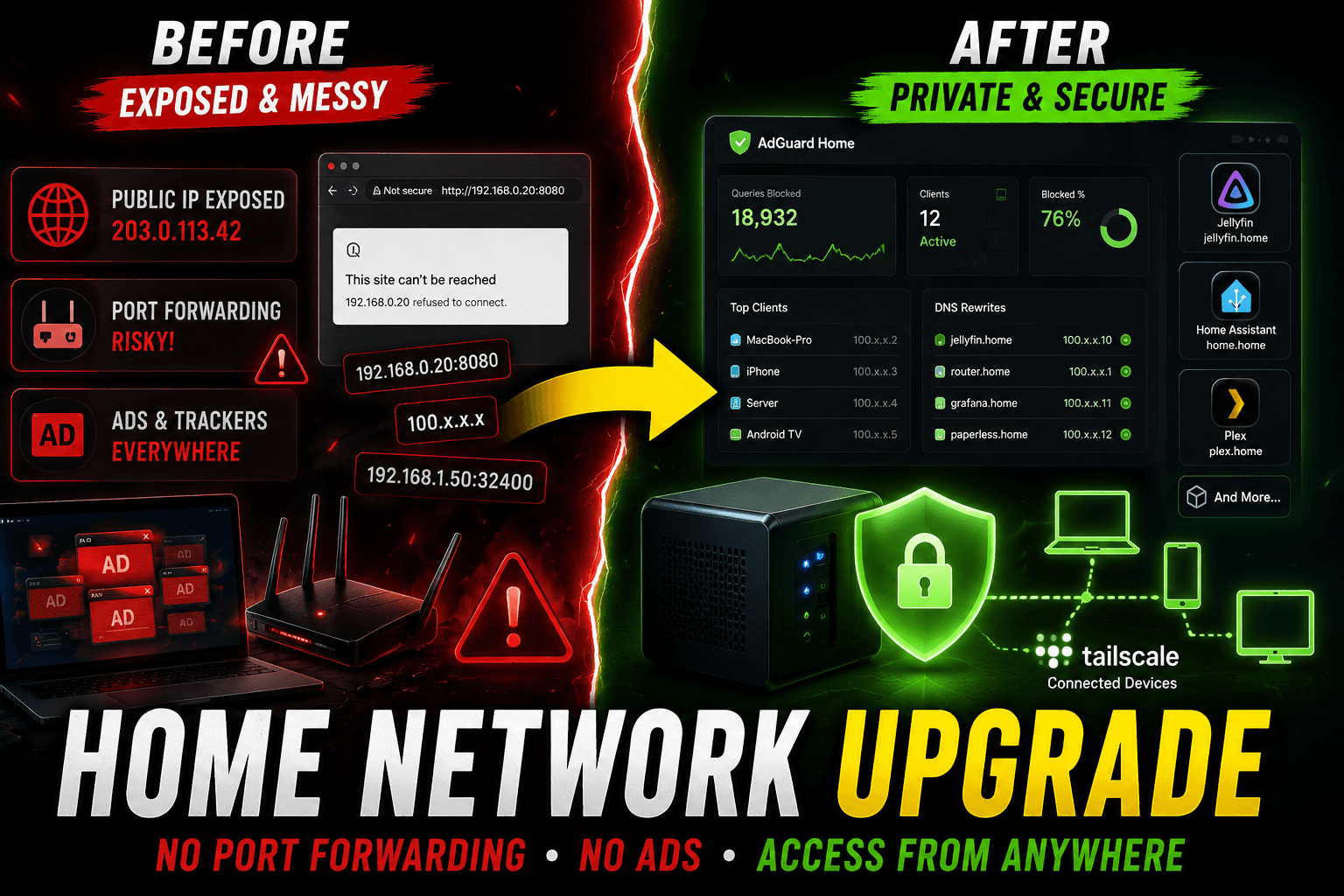
No ads or trackers: blocks all ads and trackers at the DNS level across every devices even when you are not in home.
Remote access to all devices: reach any device or service privately from anywhere, without exposing anything to the public internet.
Custom DNS rewrites: use clean local domains like
paperless.home,grafana.lanorrouter.localinstead of raw IP:ports.This is just about how everything works together, not a setup guide don't worry if you need a download it here
How the Stack Fits Together

Tailscale creates the encrypted tunnel that connects your devices securely.
AdGuard Home handles DNS resolution, ad blocking, and custom domain rewrites.
Nginx Proxy Manager routes incoming requests to the right service and issues SSL certificates automatically.
Together, they give you a clean, private network that works from anywhere — with no public exposure.
1. Tailscale
Tailscale is a mesh VPN built on the WireGuard protocol. It creates encrypted, peer-to-peer tunnels between your devices.
Unlike traditional VPNs that route all traffic through a central server, Tailscale connects devices directly to each other whenever possible, giving you low-latency, high-performance private networking.
Instead of exposing services directly to the internet or configuring complicated port forwarding rules, Tailscale allows devices to communicate securely over encrypted tunnels.
Why Use TailScale
Remote Access: Access your home network from anywhere without port forwarding or exposing services to the public internet
Cross-Platform: Works on Linux, Windows, macOS, iOS, and Android
Tailnet: Automatically creates a private network with all your devices
MagicDNS: dedicated custom domain will be provided.
Global DNS Control: Set a single DNS server for all connected devices. Point it to our AdGuard Home and every device instantly gets ad blocking and custom domains.

Use Case: Private Access to Self-Hosted Services
Instead of exposing apps to the public internet using services like ngrok or Cloudflare Tunnel:
# Public (exposed, risky)
https://myserver.example.com
You can access them privately through Tailscale:
# Via Tailscale IP
http://100.x.x.x:8080

# Via MagicDNS hostname
http://devicename.tailnet-name.ts.net:8080

# Via custom domain (with AdGuard + NPM — covered below)
http://plex.home
This dramatically reduces your attack surface while keeping everything accessible from your phone, laptop, or any other enrolled device — anywhere in the world.
2. Adgaurd Home
AdGuard Home is a network-wide ad blocker and DNS resolver. Rather than blocking ads in a browser, it blocks them at the DNS level meaning when any device on your network tries to resolve a tracker or ad domain, AdGuard simply returns nothing. The request never leaves your network.

Why Use AdGuard?
Reduce Telemetry: Many devices (Windows, smart appliances) send telemetry data home. Block these at the DNS level to reduce data leakage.
Privacy Protection: Block trackers across all devices (phones, laptops, smart TVs) by not using ISP default resolvers.
No Client Software: Works at the DNS level — no installation needed on individual devices
Custom Blocklists: Add your own domains or use community blocklists
Adult Content Filtering: Family-safe DNS options
Statistics: See what domains are being queried on your network
DNS rewriting: assign custom domain for rules.
DNS Rewrites
This is what makes the whole stack elegant. In AdGuard Home, you can create DNS rewrite rules like:
paperless.home  →  100.x.x.x   (your server's Tailscale IP)
grafana.home    →  100.x.x.x
portainer.home  →  100.x.x.x
Now, when you type https://paperless.home on any device connected to Tailscale (with AdGuard set as the DNS), it resolves to your server's private IP. NPM then handles routing that request to the right container.
3. Nginx Proxy Manager(NPM)
Nginx Proxy Manager provides a clean web UI for managing Nginx reverse proxy configurations. Instead of writing Nginx config files by hand, you point and click NPM handles SSL certificates, redirects, and proxy rules automatically.

How It Works with the Stack
NPM sits between AdGuard and your actual services. When a request arrives for paperless.home:
AdGuard resolves
paperless.home→ your server's Tailscale IP.The request hits NPM on port 80(http)/443(https).
NPM reads the hostname, finds the matching proxy host, and forwards the request to the right Docker container (e.g.,
paperless-ngx:8000).NPM handles the SSL termination, so your browser gets a valid HTTPS connection.
To build this setup, all you really need is:
A Linux machine (old PC, mini PC, or VPS)
Docker
A bit of patience
And honestly… ChatGPT helps a lot.
If you want the complete step-by-step setup guide with configuration examples, networking flow, DNS rewrites, and reverse proxy setup: